Design Your Deli Paper
Choose any sheet from our photos, upload your logo, place it where you want it and send it. Our designers redraw it at print size on a free PDF proof, and nothing is printed until you approve that proof in writing.
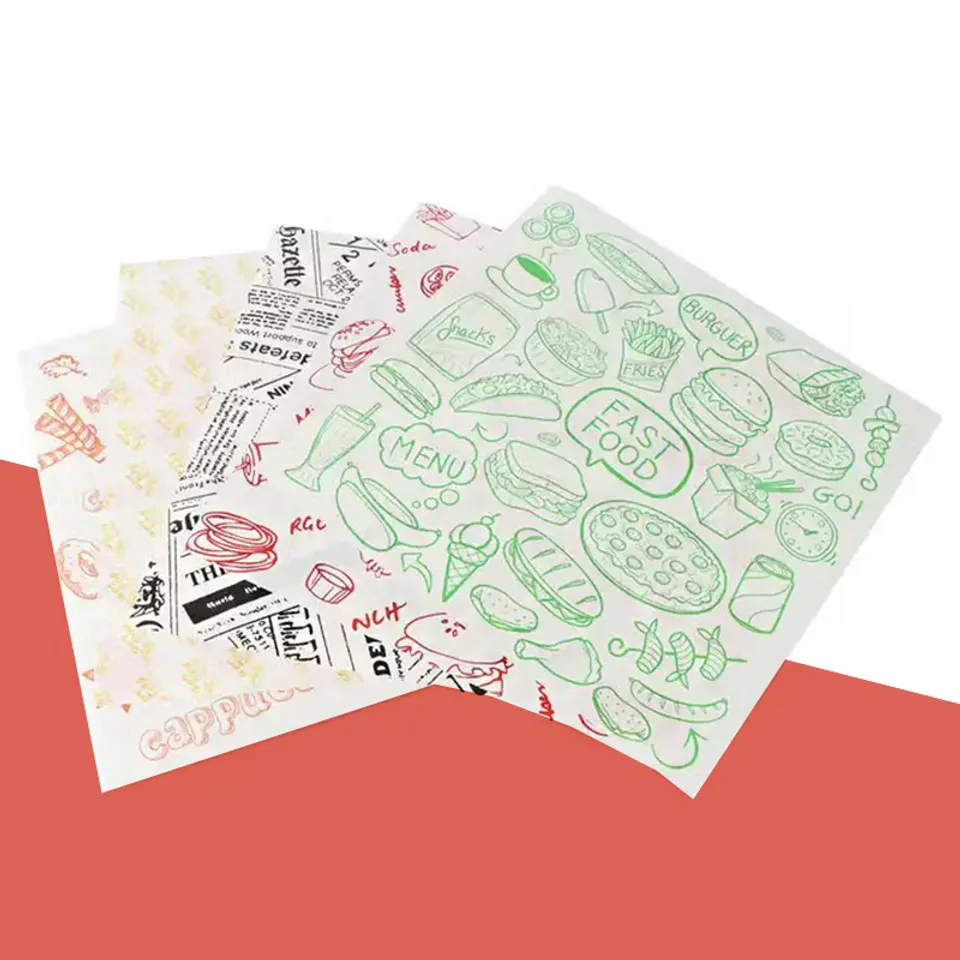
Upload your logo to see it on this sheet
How Design Your Deli Paper Works
- Pick a sheet photo from the list. Every product on the site is there, from burger wrap to wax paper bags; use the search box or the range filter to narrow it down.
- Upload your logo as a PNG, JPG or SVG. Drag it across the photo, or nudge it with the arrow keys, and set the size with the slider until it looks right on the sheet.
- Fill in the short form beside the photo and send it. The picture you made and the original logo file travel with the request, along with the sheet, stock and quantity you chose.
- Within one business day you get a written quote and a PDF proof with the logo redrawn at true print size on the chosen stock, with the repeat spacing marked if you asked for one.
What this page is for
Design Your Deli Paper is where you try a logo on a real sheet before anyone prints anything. Every product on the site appears as a photo, so you can see your mark on kraft, on white, on a checkered liner or on a black wrap and judge which one looks like your counter.
It is a way to show us what you have in mind. Where you drop the logo, how big you make it and which sheet you pick all travel with the request, and the designers work from that picture rather than from a written description.
What the picture shows and what it does not
The picture is a placement sketch. It shows position and rough scale on a photo of a sample sheet, with the logo blended into the paper so a dark mark on kraft looks the way ink sinks into brown fiber.
It does not show true print size, the repeat spacing or how the ink color shifts on a tinted stock. Those are worked out on the PDF proof, which is redrawn from your original file at the real sheet dimensions.
What happens after you send it
Within one business day you get two things by email: a written quote for the sheet, stock, size and quantity you chose, and a PDF proof with the logo redrawn at print size. The proof marks the repeat in inches if you asked for one and names the ink color and the stock it was matched on.
Nothing is plated at this point. You can ask for the mark larger, smaller, moved to a corner or set as an all-over repeat, and a revised proof follows at no charge. Printing starts only after you reply with a written approval.
Placing a logo so it survives the fold
A logo dropped dead center on a 12 x 12 in. sheet ends up under the burger. Try the mark in a corner, or smaller and repeated, and picture the sheet folded in quarters around a sandwich. The part that stays visible is the part the customer sees.
On a basket liner the opposite is true: the center panel is the one part that shows above the fries, so a single centered mark works there. The guide to printing a logo on deli paper walks through repeats, corner marks and coverage with examples.
If you do not have a logo file
Send the form anyway with the sheet you like and a note, then email a photo of your sign, your menu or an old wrapper. Redrawing a simple wordmark is included in the free proof.
For a detailed logo with fine lines or a gradient, a vector PDF, AI or EPS file gives the cleanest result on press. Hairlines soften on absorbent paper, so the proof thickens them a little and says where.
Questions About Design Your Deli Paper
The questions we answer most weeks. Pick a topic, open a row.
Does the picture I make on Design Your Deli Paper become the printed sheet?
No. It tells the designers where you want the logo and roughly how big. The real proof is redrawn from your original file at print size on the chosen stock.
Which logo file types does the page accept?
PNG, JPG or SVG up to 3 MB. For the proof itself a vector file is best, but a photo of your sign is enough to get started.
Can I try the same logo on several sheet photos?
Yes. Click another photo in the list and the logo stays where it was, so you can compare kraft, white and black in a few seconds and send as many versions as you like.
Why does my logo look darker on the kraft photos?
The page blends the logo into the photo the way ink sinks into brown paper, so you see a realistic result rather than a bright sticker. White ink on kraft or black is drawn on the proof instead.
Can I nudge the logo with the keyboard instead of dragging it?
Yes. Click the logo once and use the arrow keys; hold Shift for larger steps. The slider beside the photo sets the size.
Do I have to upload a logo before I can send the form?
No. Send the form with the sheet you chose and a note about what you want, and attach artwork later by email or WhatsApp.
How large will the logo print on the real sheet?
That depends on the sheet size and whether it repeats. The proof shows the mark at its real size in inches, so you can measure it against a sheet you already use.
Can I ask for a repeat pattern rather than one logo?
Yes. Place the logo once, say repeat in the notes and the proof shows the spacing. A repeat keeps part of the mark visible on every fold.
Do I pay for the proof made from my picture?
No. The proof and any changes to it are free. Printing starts only after you approve it in writing, and the quote arrives alongside it.
What if my logo file is larger than 3 MB?
Email it to info@delipapers.com instead, or send a smaller PNG for the page now and the full file later. The proof is always made from the best file we have.
Tell us about your order
Send the product, a sheet size and roughly how many sheets you go through in a month. We reply in writing within one business day with a price and a free design proof. Prefer to talk? Call (503) 461-4788 or message us on WhatsApp.
- Minimum order 1,000 sheets
- Production in 4–6 business days after you approve the proof
- Free tracked delivery in the US in 2–3 business days
- Food-safe soy and water-based inks